Dev Mode
If you don't have a valid passport or national ID to test ZKPassport with, you can enable the dev mode in the mobile app and the SDK to generate and verify proofs with mock passports.
Mock passports are signed by the Zero Knowledge Republic (ZKR), a mock issuer we use to issue mock passports for the dev mode. The root certificates (CSCs) of the ZKR are included in our certificate registry on Ethereum Sepolia. However, they won't be included in mainnet versions of our registry. All mock passport proofs have 1 as unique identifier.
Enable Dev Mode in the Mobile App
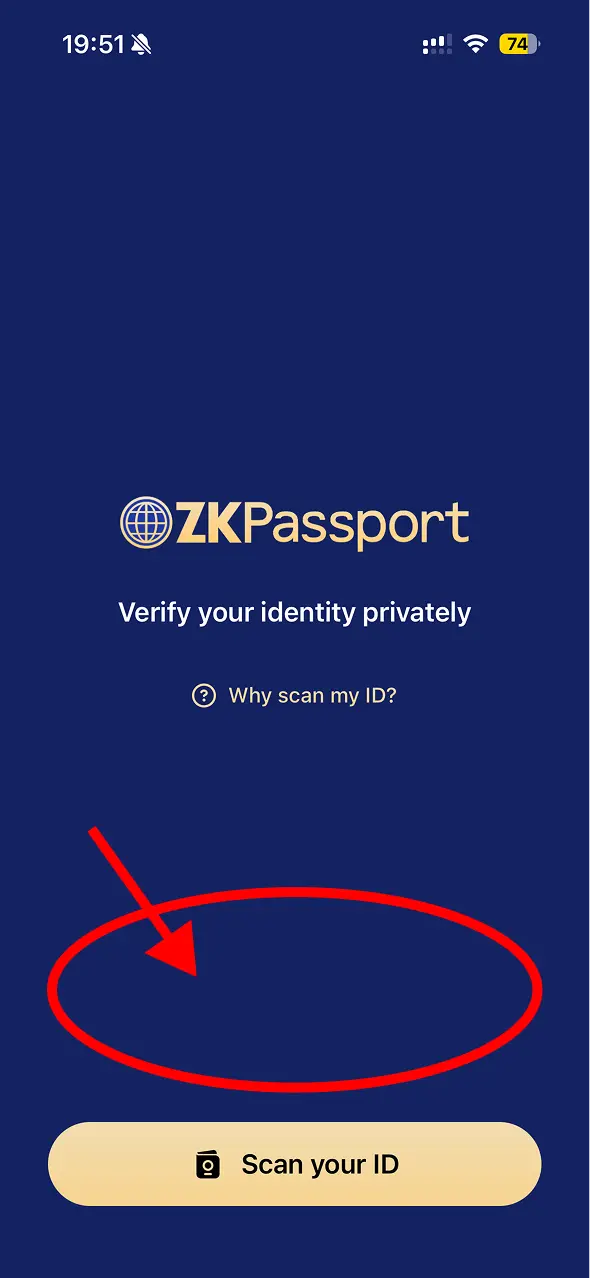
If you've just installed the app and don't have any ID loaded yet, you'll land on the welcome screen. Enable dev mode from here by long pressing the empty area just above the Scan your ID button (highlighted below).
If you already have an ID loaded, open the Settings screen instead by tapping the gear icon in the top right corner of the main "Your IDs" screen, then tap Developer Options.
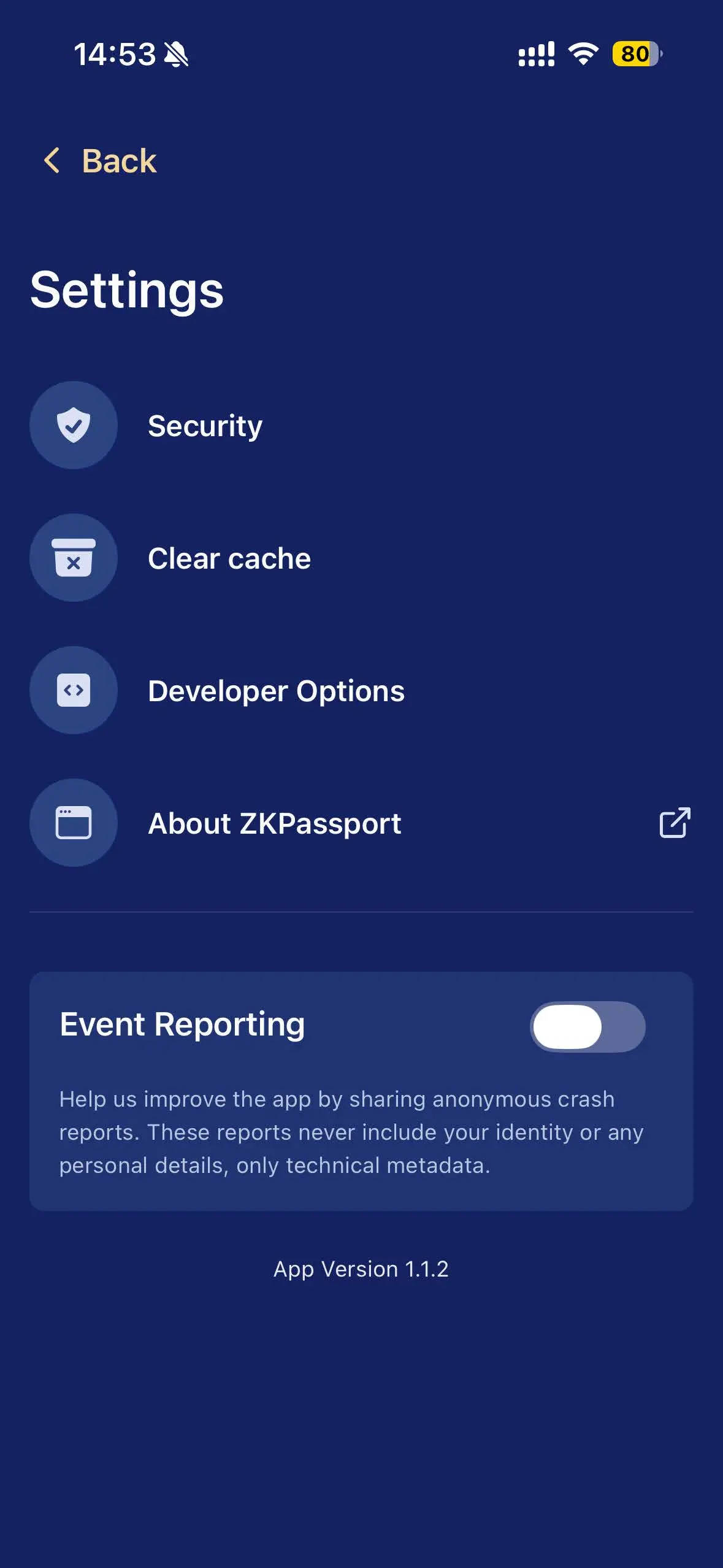
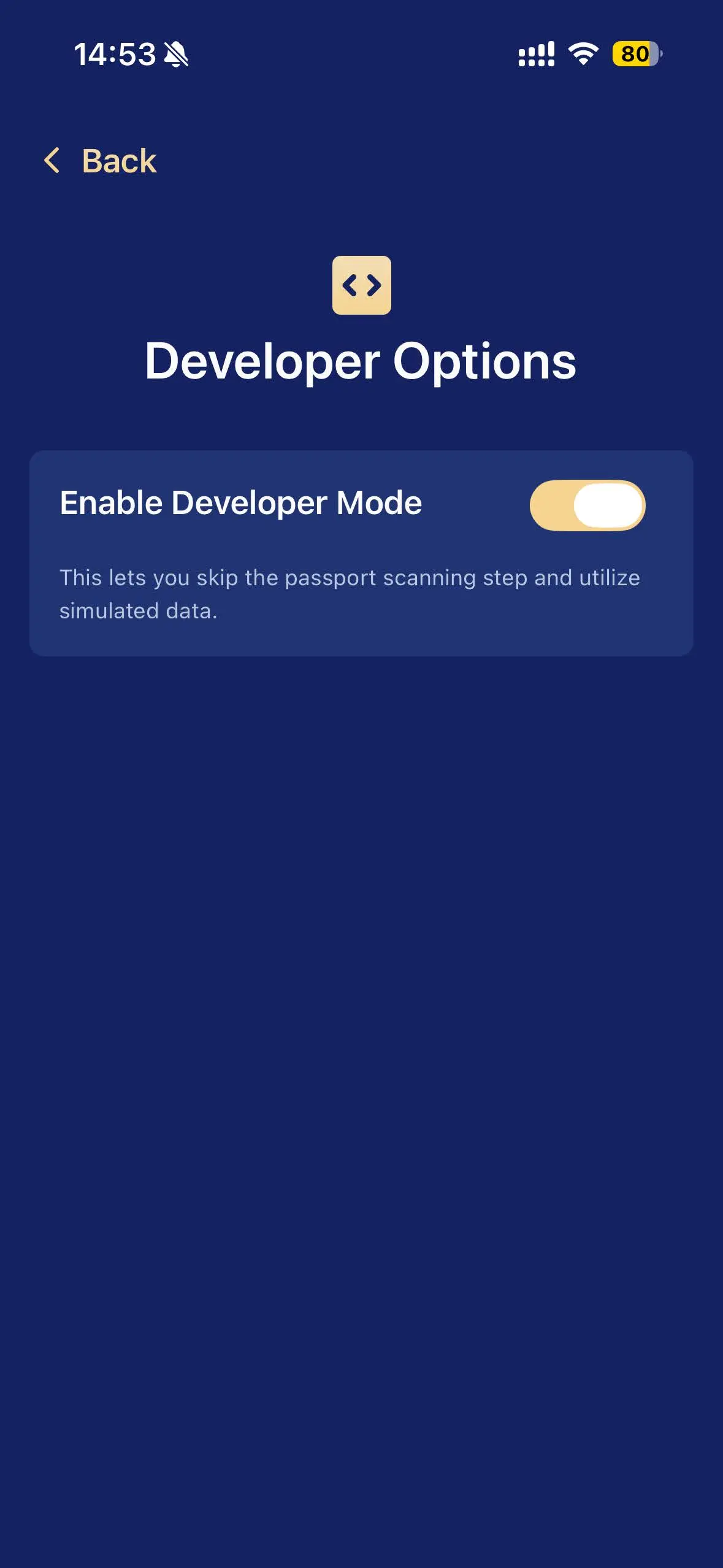
In Developer Options, toggle Enable Developer Mode on. This lets you skip the passport scanning step and use simulated data.
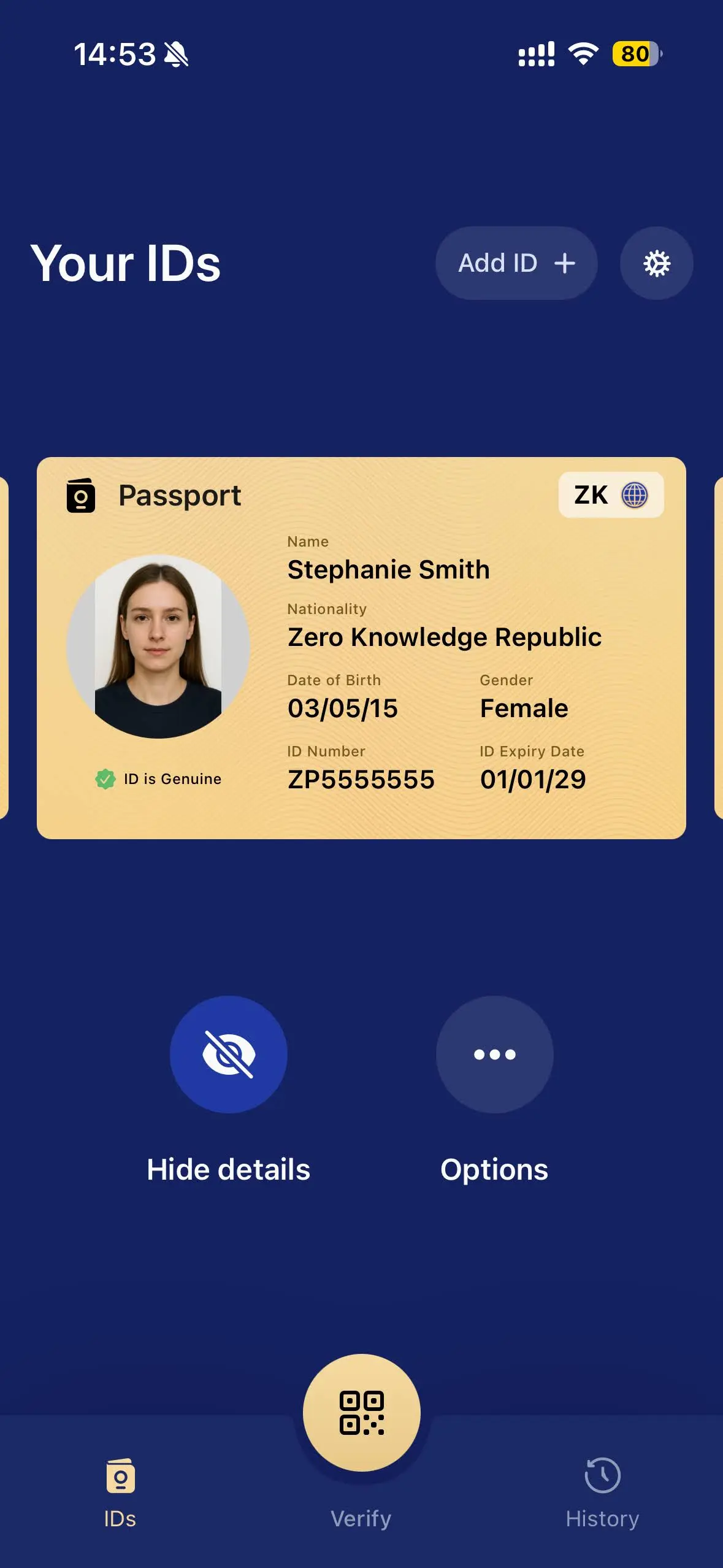
Once enabled, mock IDs issued by the Zero Knowledge Republic (with different data and configurations) will be loaded into your "Your IDs" screen, which you can swipe through and use to generate mock proofs.
Enable Dev Mode in the SDK
To enable dev mode, set devMode to true. Without it, proofs from mock passports are considered invalid. It's available both as a prop on the @zkpassport/ui card and as an option on request() when using the SDK directly.
- React
- Vanilla JS
- SDK
import { ZKPassportQRCode } from "@zkpassport/ui/react";

<ZKPassportQRCode
  name="Your App Name"
  logo="https://your-domain.com/logo.png"
  purpose="Your Purpose"
  scope="your-scope"
  // Enable dev mode here
  devMode
  query={(queryBuilder) => queryBuilder.gte("age", 18).done()}
  onResult={({ verified, uniqueIdentifier }) => {
    // For mock passports, the unique identifier is always 1
    if (verified) console.log("Unique identifier", uniqueIdentifier);
  }}
/>;
import { mount } from "@zkpassport/ui";

mount(document.getElementById("zkpassport"), {
  name: "Your App Name",
  logo: "https://your-domain.com/logo.png",
  purpose: "Your Purpose",
  scope: "your-scope",
  // Enable dev mode here
  devMode: true,
  query: (queryBuilder) => queryBuilder.gte("age", 18).done(),
  onResult: ({ verified, uniqueIdentifier }) => {
    if (verified) console.log("Unique identifier", uniqueIdentifier);
  },
});
import { ZKPassport } from "@zkpassport/sdk";

const zkPassport = new ZKPassport("your-domain.com");

const queryBuilder = await zkPassport.request({
  name: "Your App Name",
  logo: "https://your-domain.com/logo.png",
  purpose: "Your Purpose",
  scope: "your-scope",
  // Enable dev mode here
  devMode: true,
});